
For YouTubers and content creators
Ideate, create and track your content, one card at a time.
The all-in-one workspace for your whole channel. Every video gets a card with packaging help, deep research, Frame.io-style video review, a release calendar and sponsor management, so nothing lives in a scattered pile of docs and chats.
Sign-in is with Google. If you're on the team, you're in. Everyone else can look around here for now.
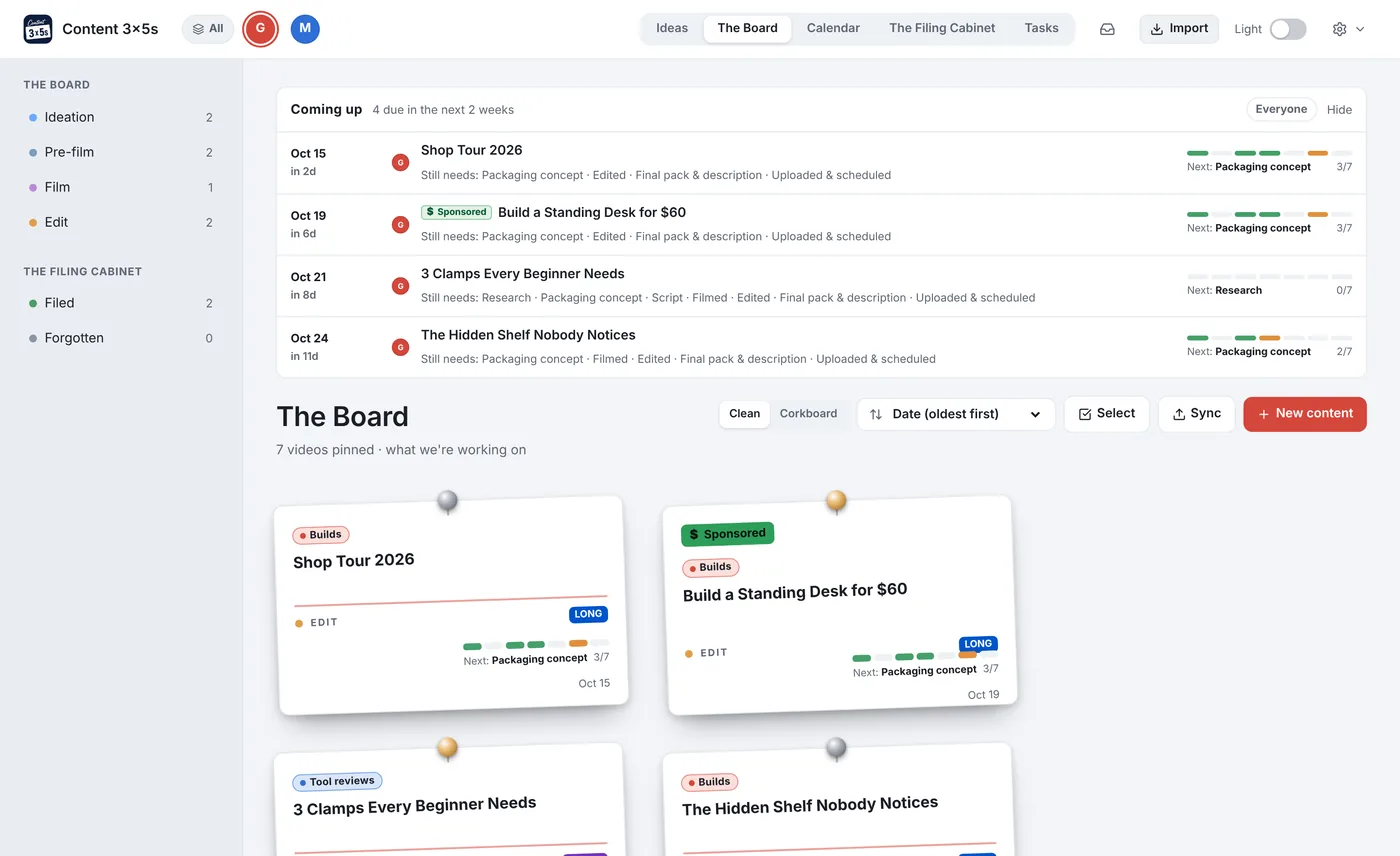
See it in action
Real screens from the app, filled with sample data.
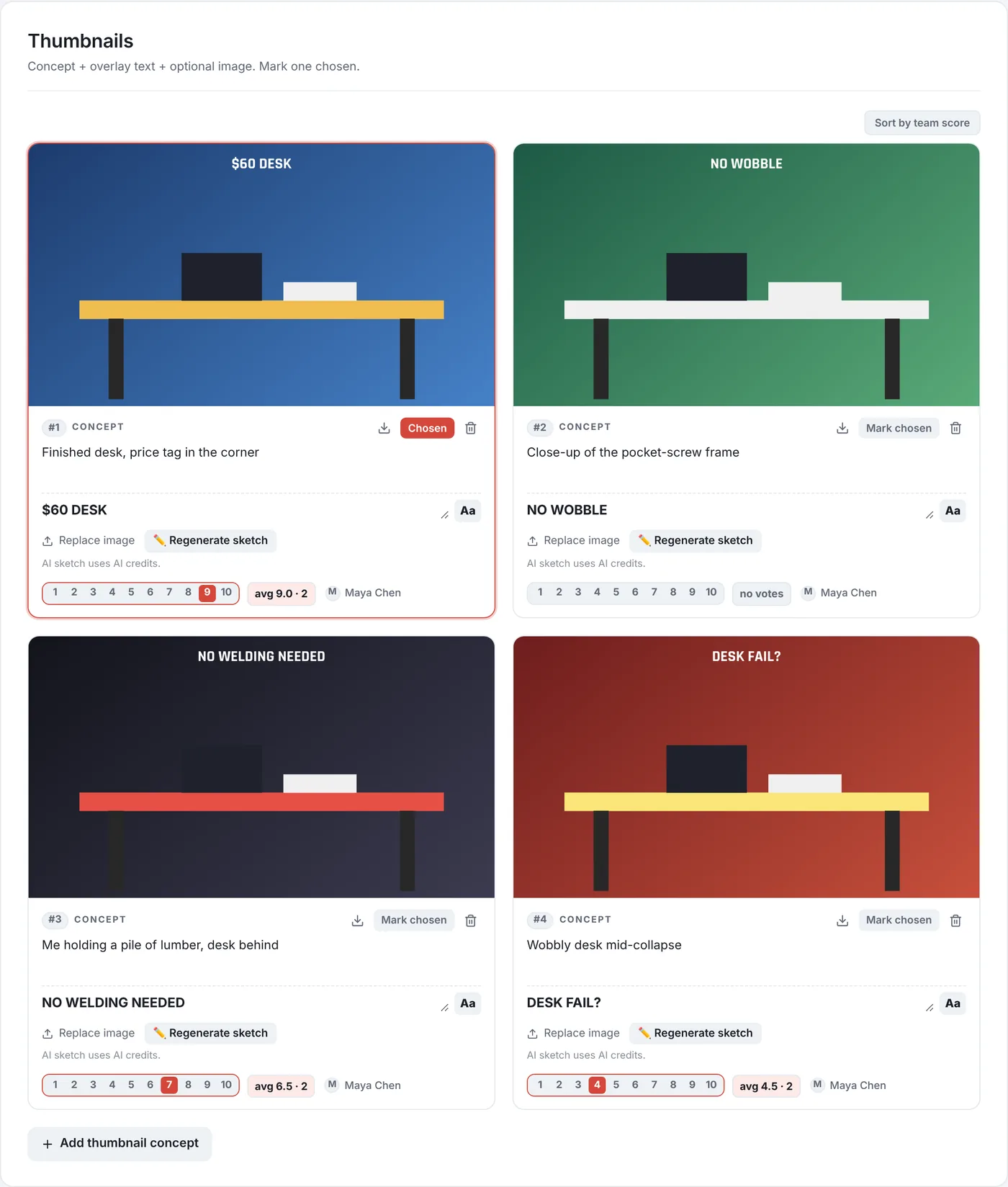
Packaging that gets picked, not argued about
Titles and thumbnails are what decide whether anyone clicks. Put every option on the card, let the team score them, and pick the winner with numbers.
- Live character counts and fit checks for each device
- Thumbnail concepts with overlay text, sketches and uploads
- Pair a title with a thumbnail and preview the combo in a feed
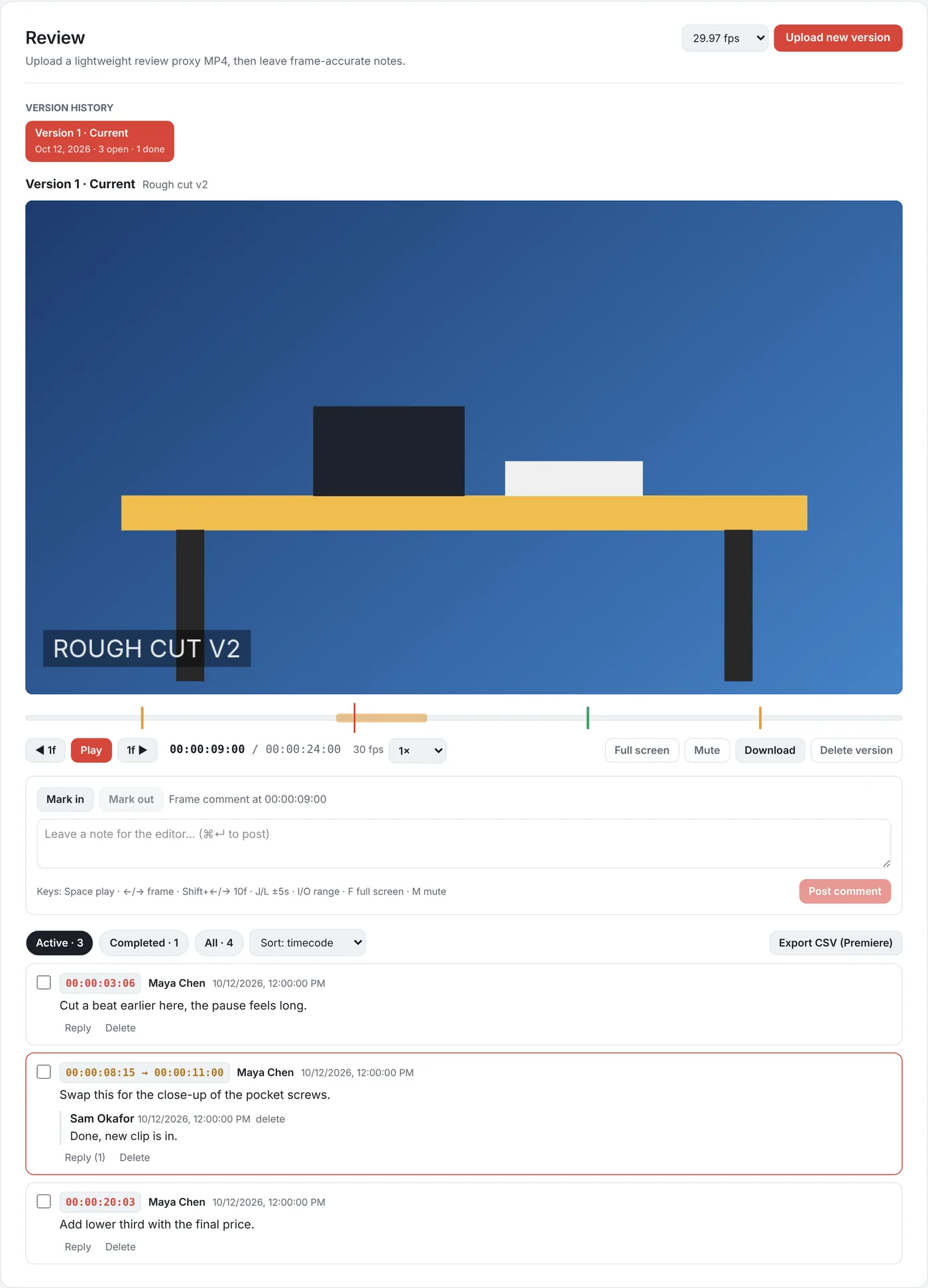
Frame-accurate review, right on the card
Skip the email thread of "around the two minute mark." Your editor uploads a cut and everyone's notes land on the exact frame.
- Comment on a frame or mark an in and out range
- Reply, resolve and filter active versus completed notes
- Export to Premiere as a CSV, and keep every version
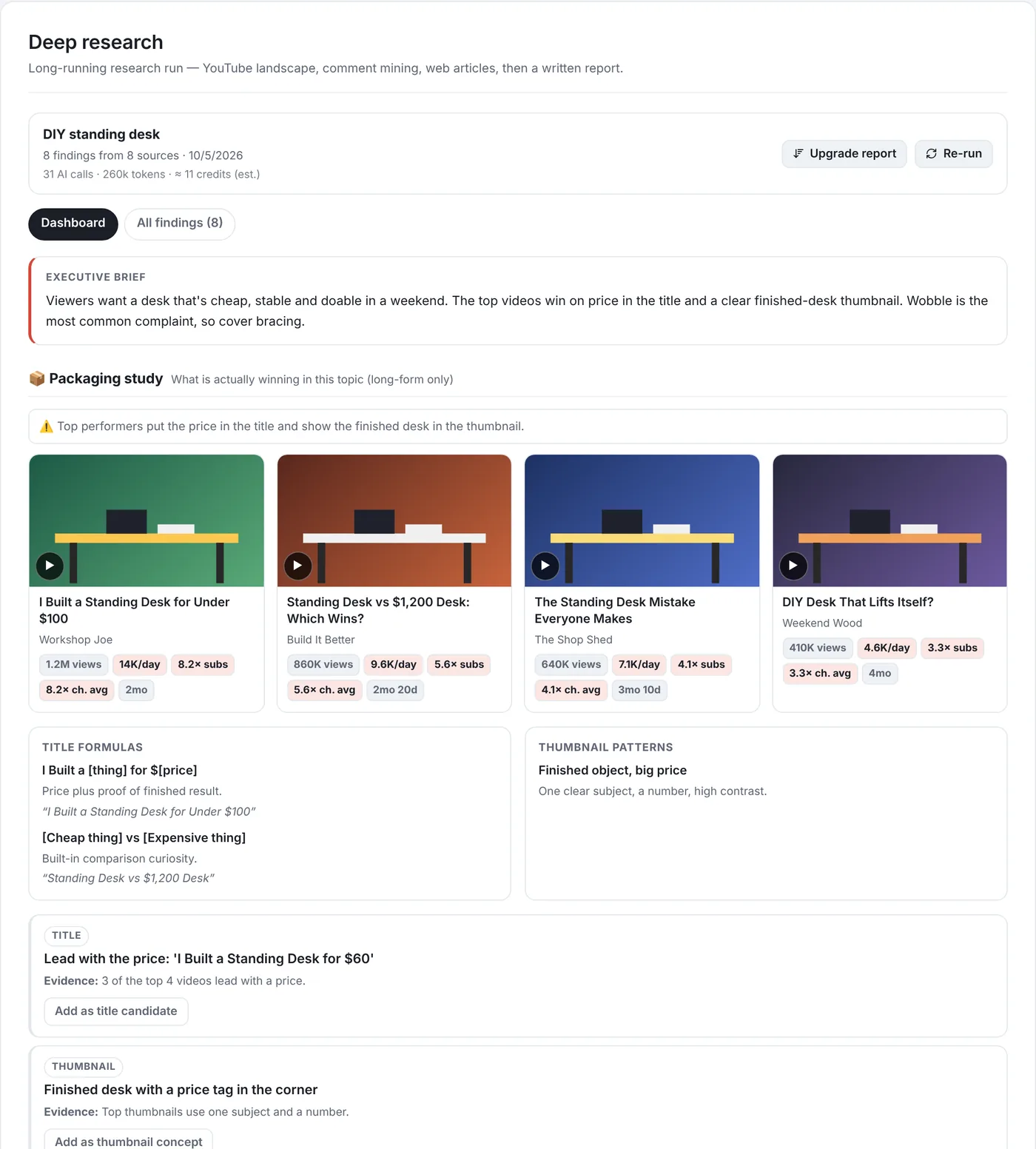
Deep research before you hit record
Start a research run from the card. You get an executive brief, the videos that are actually winning, the title and thumbnail patterns behind them, and what your audience keeps asking.
- Packaging study of top videos with views and channel context
- Comment and forum mining with real quotes
- Add a suggested title or thumbnail to the card in one tap
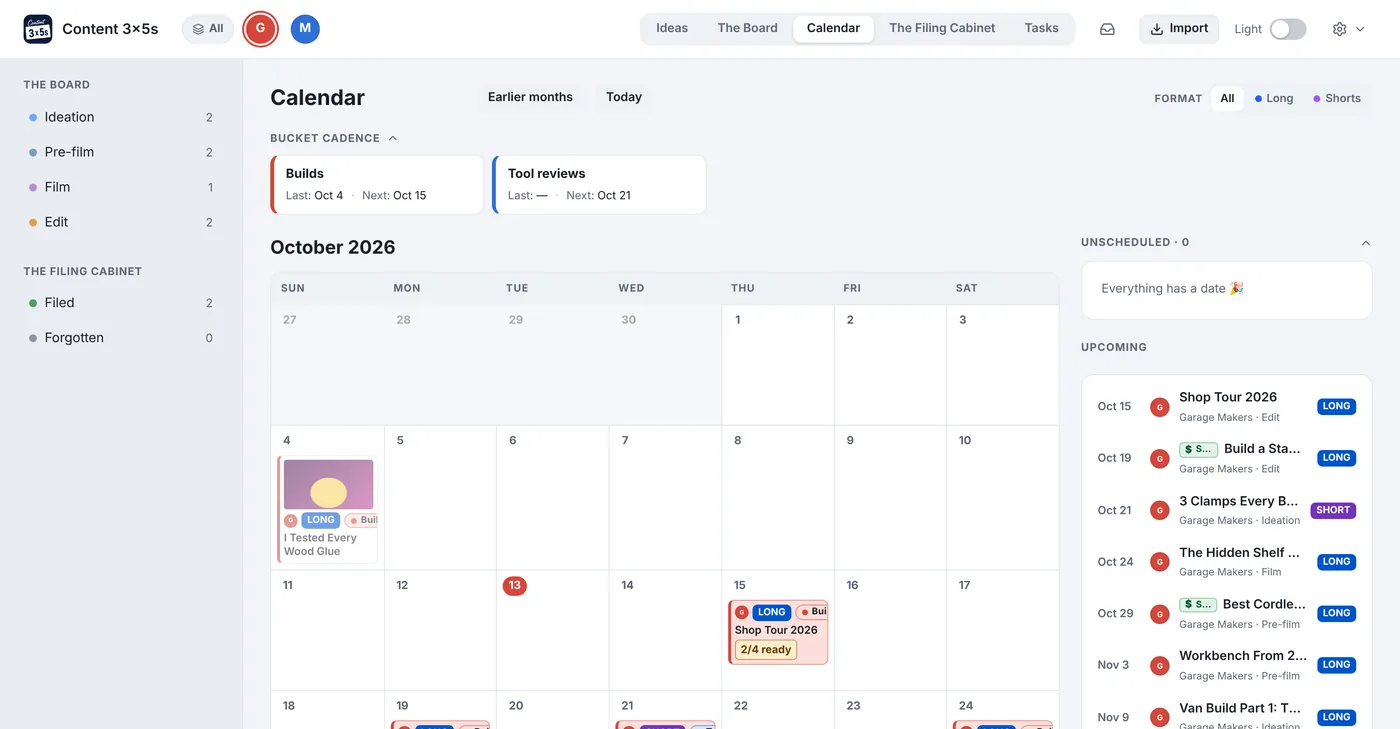
A calendar that knows what's ready
See the whole month at a glance, with each video's progress right on its date. Series cadence shows when something is overdue before your audience notices.
- Long videos and Shorts, filterable
- Unscheduled shelf for ideas without a date
- Ready counts on every scheduled video
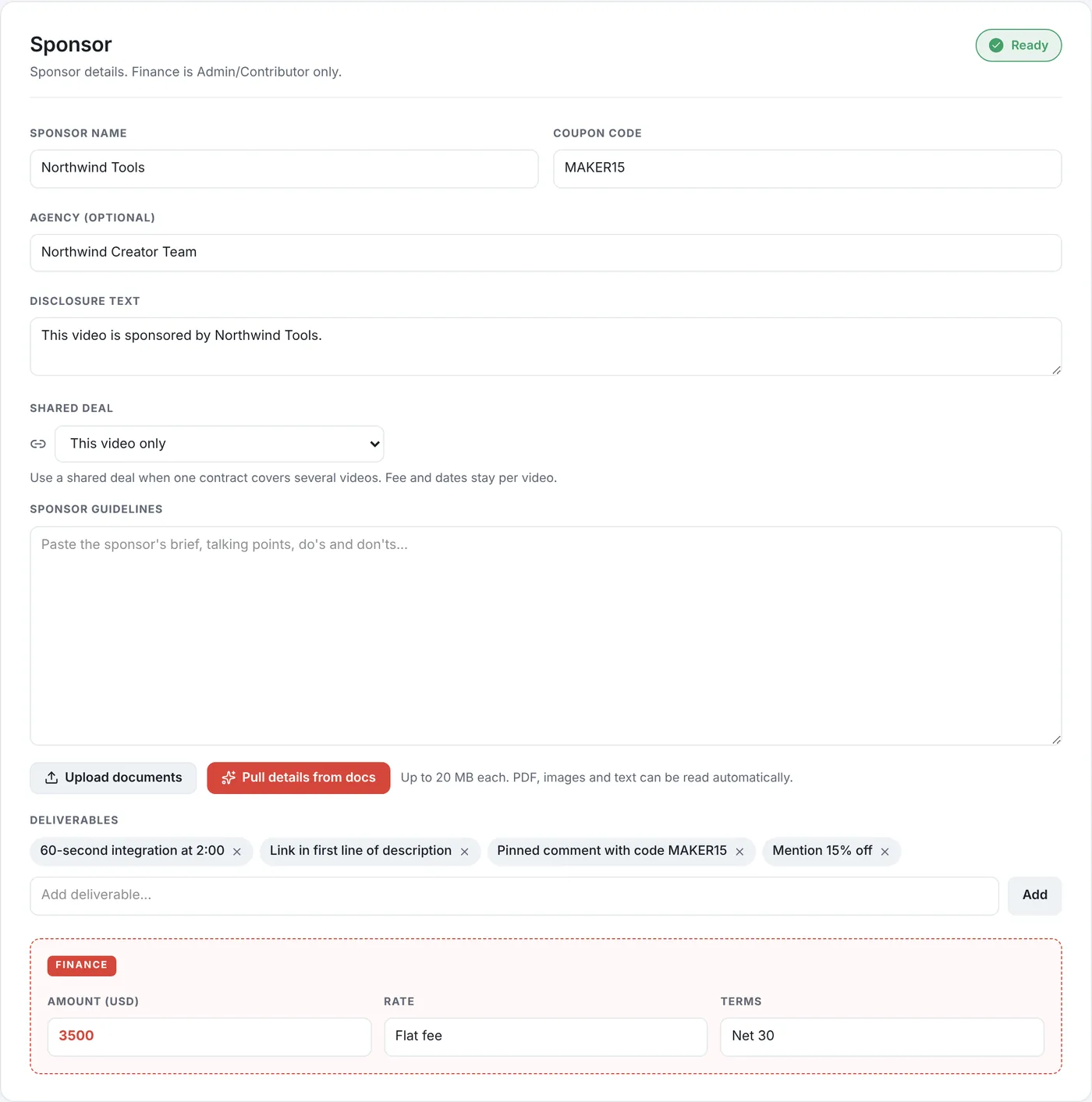
Sponsor details that don't live in someone's inbox
Every deliverable, code and disclosure sits on the video it belongs to. When the editor opens the card, they see what the sponsor needs without ever seeing the money.
- Upload the brief and pull out the details automatically
- One deal can cover several videos
- Finance numbers are hidden from the editor role
And everything else on the card
The pieces you'd normally scatter across docs, chats and spreadsheets.
Packaging help
Draft titles with a live character count, add thumbnail concepts and sketches, pair them into combos, and preview each combo in a YouTube feed on phone, tablet, desktop and TV. Your team scores every option.
Deep research
Run a research report on any topic: what's winning on YouTube, what viewers say in comments and forums, title formulas, thumbnail patterns, and what you'll need to know to teach it.
Frame-accurate video review
Upload a cut and leave comments pinned to the exact frame or a time range. Reply, resolve, and export the list as a Premiere-ready CSV. Think Frame.io, built into the card.
Release calendar
A month view of everything scheduled, an unscheduled shelf for the rest, and a cadence tracker so you can see when each series last went out and when it's due next.
Sponsor management
Sponsor, coupon code, agency, disclosure text and deliverables on every video. Upload the brief and pull the details out of it. One deal can cover several videos, and finance numbers stay hidden from editors.
Ideas inbox
Catch ideas before they disappear. Everyone on the team scores them, so the good ones float up and you stop arguing from memory.
Script and teleprompter
Write the outline or the full script with [ON SCREEN: …] cues right in the text. Read mode scrolls it for you and can follow your voice.
Tasks and handoff
Daily to-dos linked to the video they belong to, plus a final handoff checklist so nothing gets missed before it ships.
Connected to YouTube
Look up outliers and competitors in your niche, match cards to published videos, and push titles, descriptions and thumbnails back to your channel.
Status is a label, not a gate
Most planning tools make you drag cards across a board to prove progress. Here, you set a status with one tap and every section stays open the whole time. Jump to the script while you're still brainstorming titles. Nobody's stopping you.
Finished videos move to the filing cabinet. They're still one tap away, never deleted.
Built for a small team
Three roles: admin, contributor and editor. Everyone sees the same cards. The one thing that's locked down is finance numbers on sponsor deals, which editors can't see. That's enforced in the database, not just hidden on screen.
Run more than one channel? Switch between them at the top and everything filters to match.
AI where it saves time
- Suggest angles, hooks and titles for an idea
- Draft a video description from your script and notes
- Sketch thumbnail concepts you can react to
- Pull ideas in from a Claude conversation
You stay in charge. It suggests, you decide.
On the team? Come on in.
Curious about using it?
It isn't open to the public yet and there's no pricing. If you'd use it for your own channel, tell us a little about what you make and we'll write back.
Email us